

Two million people are now paying for an app that writes their songs for them. That stat alone made me block out a month and properly stress-test this tool, and this Suno AI review 2026 is what came out of it. I generated roughly 180 tracks across pop, lo-fi, indie folk, and a couple of weirder experiments. Some were genuinely shareable. A few were embarrassing. Most landed somewhere in between, which is the most honest thing I can say about any AI tool right now.
So if you’re a creator wondering whether to stay on the free tier, jump to Pro, or skip Suno entirely — here’s the practical breakdown.
What Is Suno AI?
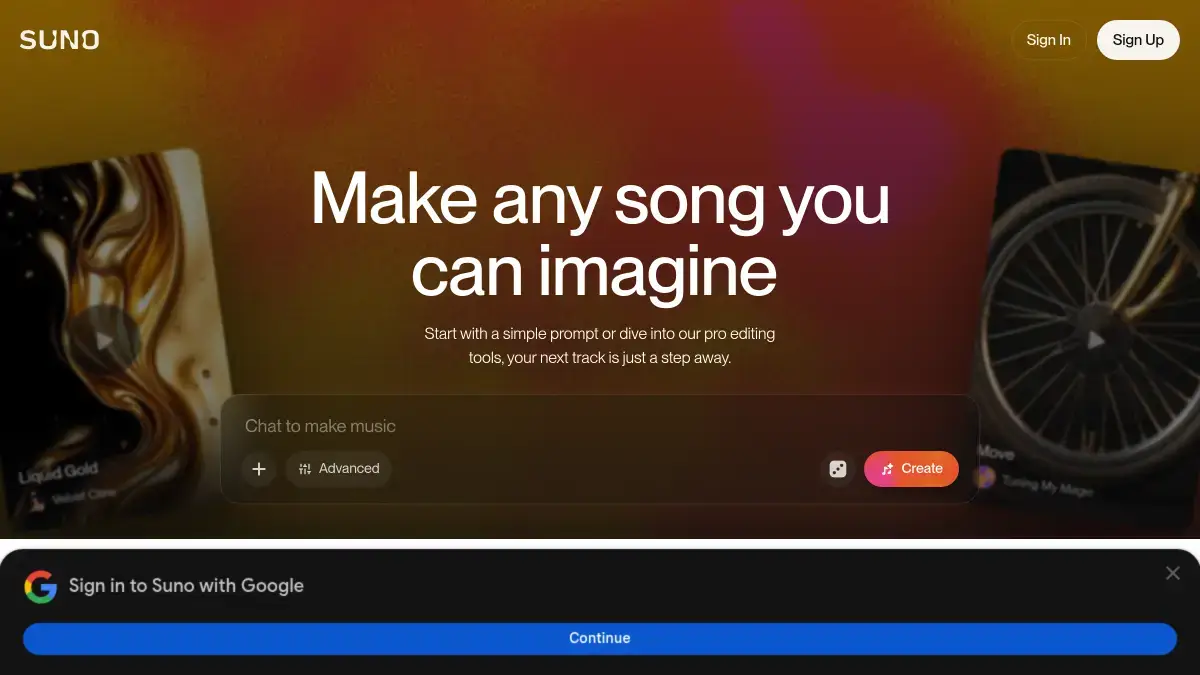
Suno is a text-to-song AI tool. You type a prompt like “melancholy indie folk about late-night Mumbai trains”, hit generate, and roughly 30 to 60 seconds later you get a full track — vocals, lyrics, instruments, structure, the lot.
It was founded in 2021 by Mikey Shulman, Georg Kucsko, Martin Camacho, and Keenan Freyberg. The four met at Kensho, the financial AI company in Cambridge, Massachusetts, and bonded over a shared obsession with music. The tool went public in late 2023 and has hit serious scale since: 2 million paid subscribers and $300 million in annual recurring revenue as of February 2026, with backing from Lightspeed, Menlo Ventures, and a long list of AI luminaries.
What separates Suno from the noise is the vocal quality. Most AI music tools still sound like a karaoke instrumental. Suno’s v5 and v5.5 models produce vocals that, on a phone speaker at least, can pass for a real session singer. That’s the bit that finally makes the output usable instead of just impressive.
Key Features of Suno AI
I’ll skip the marketing list and focus on what actually mattered during testing.
Text-to-song generation
The core feature. You can use Simple mode (one prompt, one shot) or Advanced/Custom mode (separate fields for lyrics, style, structure hints). I ended up living in Custom mode after the first week because Simple mode tends to over-decide for you.
Voice cloning (v5.5)
This is the upgrade everyone is talking about. Released on March 26, 2026, v5.5 lets you upload roughly 30 to 90 seconds of your own voice and use it as the vocalist on any generated track. Singer-songwriter, acoustic, lo-fi, indie pop, and soft R&B produce the most convincing results — extreme genres like operatic or death metal still come out as approximations. I cloned my own (genuinely mediocre) singing voice and got an indie folk track back that I wouldn’t be embarrassed to send to a friend. That’s a wild bar to clear.
Suno Studio (Premier-only)
A browser-based generative DAW. You get a multi-track timeline, stem extraction up to 12 instrument layers, MIDI export, BPM and pitch controls, and time-signature support beyond 4/4. It isn’t going to replace Logic or Ableton, but it makes Suno output editable instead of locked-in.
Stem and MIDI export
Pro and Premier users can split a song into vocals, drums, bass, and individual instrument stems. So if you only want the drum loop or the bassline, you can pull it out and drop it into your real DAW.
Audio upload and remix
Free users can upload up to 1 minute of audio. Paid users go up to 8 minutes. You hum a melody, upload a voice memo, drop in a half-finished demo, and Suno builds around it. This is the feature most useful musicians I know actually use.
40+ languages and dozens of genres
Hindi, Tamil, Punjabi, Spanish, Korean, Japanese — it handles them all to varying degrees. Hindi pop came out surprisingly listenable. Bhojpuri folk did not.
How Suno AI Works (Hands-on Walkthrough)
Here’s what my first session looked like.
I signed up with a Google account, landed on the Create page, and got hit with the choice between Simple and Custom. I started in Custom because I had specific lyrics in mind. Pasted lyrics into the lyrics box, typed “warm acoustic singer-songwriter, female vocal, sparse fingerpicked guitar, 90 BPM” into the style box, picked a 3-minute length, and hit Create.
Suno generated two versions. That’s standard — you always get a pair so you can A/B them. The first was decent. The second nailed the mood I wanted. From there I clicked into the Editor view, where I could tweak individual sections, regenerate just the chorus, or extend the outro.
What surprised me: the lyric editor lets you mark sections like [Verse], [Chorus], [Bridge], [Outro] and the AI actually respects them. What annoyed me: there’s no real BPM lock. You can suggest 90 BPM and get back something at 96. Close, but not what a producer wants.
The full first-track-to-export loop took about 8 minutes. By day three I was doing it in two.
Suno AI Pricing & Plans
Here’s the part most people skim to first. Suno’s three tiers in 2026 are Free, Pro, and Premier, and the differences matter more than they look on the surface.
| Plan | Price (USD) | Price (INR approx) | Credits | Commercial Use |
|---|---|---|---|---|
| Free | $0 | ₹0 | 50/day (~10 songs) | No — personal only |
| Pro | $10/mo or $8/mo annual | ~₹830 / ~₹665 | 2,500/month (~500 songs) | Yes |
| Premier | $30/mo or $24/mo annual | ~₹2,490 / ~₹1,990 | 10,000/month (~2,000 songs) | Yes + Suno Studio access |
Two things to know before you pay. First, subscription credits don’t roll over — what you don’t use, you lose at the end of the billing cycle. Second, the Free tier locks you to the older v4.5 model, so if you’re testing Suno to decide on Pro, you’re not really hearing the v5/v5.5 quality the paid tiers unlock. Worth budgeting one month of Pro just for a fair trial. Honestly, that’s where I’d start anyway.
Suno AI Pros and Cons
What Suno gets right:
- The v5.5 vocal quality is genuinely good. Not “good for AI” — just good.
- Voice cloning from a 30-second clip is a creative game-opener. (Yes, I know, an overused phrase. But that’s actually what it is.)
- Stem export means the output isn’t a dead end. You can edit, layer, and finish elsewhere.
- The Studio DAW signals a serious roadmap. Suno wants to be where you finish songs, not just where you start them.
- Speed. From idea to listenable demo in under a minute.
Where it falls short:
- Limited structural control. You can’t dictate exact BPM, key, or precise verse-chorus-bridge timings. The AI makes those decisions autonomously, and while results are usually reasonable, professional productions still need a real DAW.
- Customer support is reportedly slow. Reddit threads are full of users waiting weeks on billing tickets.
- Free-tier downloads are getting capped in 2026 because of the Warner Music licensing deal. So if you’ve been getting by on the free plan, that loophole is closing.
- Quality is still inconsistent. I sometimes burned 30+ credits to get one keeper.
Suno AI vs Alternatives
The two names you’ll see compared most often are Udio and Riffusion’s Flow Music. If you want a wider sweep, we’ve covered the best AI music generators of 2026 separately — but here’s how Suno stacks against its two closest peers.
Suno AI vs Udio: These two are neck-and-neck. Udio’s overall musical quality, especially for genre-bending tracks and instrumental work, is arguably broader. But Udio doesn’t have voice cloning at v5.5 quality, and you can’t share Udio tracks outside their platform — you’re locked into their ecosystem. Suno’s distribution and commercial rights are clearer for creators who want to monetise on YouTube or Spotify.
Suno vs Riffusion (Flow Music): Riffusion has a more generous free tier and gives you slightly more structural control. But the vocals don’t compete with Suno v5.5. If you mostly need instrumentals and beats, Riffusion is worth a serious look. For full songs with vocals, Suno still wins.
Suno vs ElevenLabs Music: ElevenLabs entered the music space in 2025 with strong sound realism. The catch is they’re newer and the catalog of features (stem export, DAW, language support) hasn’t caught up to Suno yet. One to watch, not yet to switch to.
To be fair, none of these is bad. They’re optimising for different users. But for a content creator who wants the fastest path from idea to publishable track, Suno is where most workflows are landing in 2026.
Who Should Use Suno AI?
Buy Pro if:
- You’re a YouTuber, podcaster, or reels creator who currently pays ₹500–1,000/month for stock music.
- You’re a songwriter testing lyric ideas across multiple genres before booking studio time.
- If you’re stacking Suno with other tools in your workflow, our roundup of AI tools for content creators covers the writing, thumbnail, and editing apps most YouTubers pair it with.
Buy Premier if:
- You’re building a back-catalogue of AI music for distribution, or running a high-volume music workflow that needs Studio’s editing tools.
Skip Suno if:
- You need release-ready masters for a major label or sync licensing for film/TV. The legal grey area around AI training data is still unresolved, and Sony hadn’t settled with Suno as of early 2026. Be cautious in high-stakes commercial use.
Final Verdict on Suno AI
After 30 days of real use, my Suno AI review 2026 verdict is: this is the most fun I’ve had with an AI tool in months, and it’s already become a permanent part of how I draft background music for client work. The v5.5 quality finally makes the output something you’d actually publish, not just demo.
It isn’t a replacement for a real producer. It is a serious replacement for stock music libraries — and if you want to compare it directly against traditional royalty-free music alternatives like Epidemic Sound or Artlist, we’ve broken those down separately.
Rating: 4.3/5 — docked half a point for the structural control limits and another fraction for the customer support reports. If you’ve been holding off, grab one month of Pro at $10 (or ~₹830) and decide for yourself. That’s the cheapest test I can recommend.
FAQs
Is Suno AI free to use?
Yes, there’s a Free plan that gives you 50 credits per day, enough for about 10 short songs. The catch is that anything you make on the Free tier is for personal use only — no monetisation, no client work, no Spotify uploads. For commercial rights, you need Pro or Premier.
Is Suno AI music safe for YouTube monetisation?
If you’re on Pro or Premier, yes — your songs come with commercial rights and 0% revenue share back to Suno. Free-tier music is not safe to monetise. Also, AI-friendly distributors like DistroKid and LANDR accept Suno tracks; CD Baby and TuneCore generally don’t.
What’s new in Suno v5.5?
Released March 26, 2026, v5.5 added voice cloning (upload 30 seconds of your voice, use it as the vocalist), Custom Models, and a “My Taste” personalisation feature. It’s the biggest Suno update since launch. Voice cloning is included in the free tier with daily limits.
Suno AI vs Udio — which one is better?
Suno wins on voice cloning, vocal quality at v5.5, and clearer commercial rights for distribution. Udio wins on genre breadth and pure musical quality for instrumental work. For most creators in 2026, Suno is the safer default. Power users sometimes pay for both.
Can I cancel Suno and keep my songs?
You can keep the audio files, but commercial use rights are tied to having an active subscription. So if you cancel Pro, songs you generated while subscribed are still yours to use commercially — but new songs made after cancellation revert to personal-use only. Read the rights page on Suno’s site before you cancel.